
Issue 87: Stop Building Dashboards That Nobody Opens
How Chiefs of Staff can cut through metrics chaos and focus on what moves the business forward


Welcome back, aspiring and current Chiefs of Staff! 👋
If you're reading this as a forward or from LinkedIn, subscribe to Ask a Chief of Staff to get these insights directly in your inbox. Join 13,500+ Chiefs of Staff who trust us for actionable insights.
🦸New Superpower Unlocked for Chiefs of Staff
For the last few months I’ve been using a tool called Kondo to manage my LinkedIn DMs (besides email, it’s my next most important inbox). It’s helped me triage requests, tag conversations, and reply way faster – without dropping balls.
📬 If you’re a Chief of Staff managing your founder’s or executive’s LinkedIn, you need to check this out.
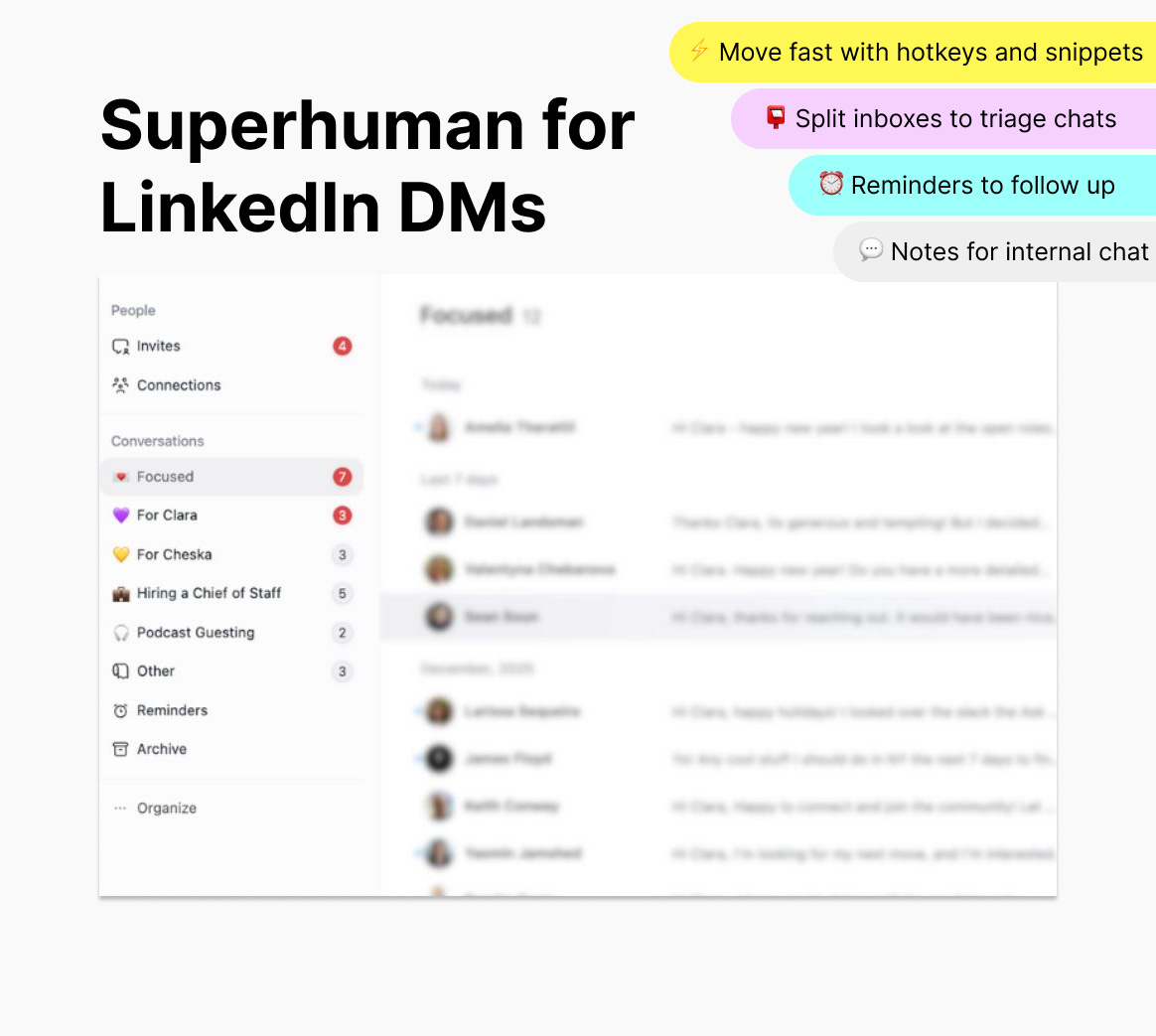
Kondo is basically just like Superhuman, but for LinkedIn DMs:
Keyboard shortcuts, reminders, labels, snippets
Tags + notes so you can collaborate with your exec or team
Much easier to stay on top of intros, candidates, and partnership threads
🎁 As a perk for our community, you get 1 free month of Kondo’s Business plan (usually $40)!
*If you’re interested in sponsoring a future issue of Ask a Chief of Staff, hit reply!
This issue is guest authored by Sarah Sheikh, Chief of Staff at Loop Financial. She is an operational leader with over 1️⃣ 5️⃣ years experience in fintech, banking and higher education in Canada, the USA, and the UK, working across teams to drive growth, streamline operations, and in scaling businesses.
📊 How Do Chiefs of Staff Build Dashboards That Actually Drive Business Decisions?
When I first stepped into the Chief of Staff role at Loop Financial, one of the most persistent challenges I faced wasn’t about setting strategy, but rather tracking it. 📈
The Leadership and Function Leads would spend weeks aligning on priorities, carefully wordsmithing OKRs, and ensuring we were very intentional with moving the business forward. But once the cycle started, all that alignment risked slipping into the background noise of daily execution.
✅ The first major change we made was shifting from quarterly goal-setting cycles to a tighter two-month cadence. The intent was simple: move faster and avoid the familiar scramble of trying to squeeze progress into the last few weeks of a quarter.
✅ Alongside this, we defined our top five priorities for the business over a six-month horizon. Every goal we set has to ladder up to one of those priorities, and we hold ourselves accountable to ensuring our day-to-day work directly contributes to moving those initiatives forward before the end of the year.
✅ Once the whole team was aligned, that’s when I started treating dashboards as a core part of the Chief of Staff toolkit—not as a side project for operations or analytics, but as a business enabler.
Here’s how Chiefs of Staff can work with functions to build dashboards that cut through the noise, highlight what truly matters, and enable faster, better decisions.
Step 1️⃣: Translate Strategic Priorities into Measurable KPIs
The biggest mistake I see (and, candidly, one I made early on) is jumping straight into building metrics without first asking: What are we trying to achieve?
The bridge between strategic intent and operational reality is built with carefully chosen KPIs.
🎯 Start with priorities, not data availability: It’s tempting to measure whatever is easiest to pull, but that usually leads to dashboards cluttered with irrelevant numbers. Start with the question: “What would success look like if we nail this priority?”
🎯 Focus on outcomes, not just activities: If the goal is “Expand our product adoption,” tracking the number of sales calls isn’t enough. A better KPI might be customer activation or retention rate.
🎯 Keep it brutally simple: No executive can effectively track 25 metrics. Three to five per priority is usually the sweet spot.
This is where I had to learn to say “no” or push back on setting KPIs for the sake of it. If something doesn’t directly move the business forward or align with our set initiatives, why are we discussing whether it should be a metric? As a Chief of Staff, you have a unique birds eye view of everything that happens in the business and you know where things are going well and where they aren’t. Use that knowledge to help create clarity and focus.
Step 2️⃣: Separate Signal from Vanity Metrics
Some metrics look good in a slide deck but don’t help anyone make decisions or move the business forward. These are the infamous vanity metrics.
A couple examples of vanity versus meaningful metrics:
🪞 Vanity metric: Registration numbers on our website.
🌱 Meaningful metric: Percent of registrations that convert into active and revenue generating users.
🪞 Vanity metric: Number of Slack messages sent in a project channel.
🌱 Meaningful metric: Percent of project milestones completed on time.
As Chiefs of Staff, we’re uniquely positioned to filter out vanity metrics because we see across functions. We know when a number is telling a real story and when it’s just a shiny distraction. Brutal honesty and feedback is my superpower; it’s the Belgian in me!
Step 3️⃣: Choose the Right Tools for the Job
I’ve learned that the “perfect dashboard tool” doesn’t exist, but rather it’s about matching the tool to your organization’s needs and culture. At Loop, our CEO and Head of Engineering implemented two platforms that have been indispensable for tracking our metrics:
🧰 Linear: Ideal for tracking functions’ progress. It’s clean, lightweight, and helps surface status updates that tie directly to their metrics.
🧰 Retool: This tool has been a game changer for us, especially if you need flexibility. Retool allows you to pull data from multiple sources and build lightweight dashboards without waiting on engineering bandwidth. You do need to be tech savvy and willing to learn a bit of SQL but LLMs are your friend for these!
Other tools like Looker, Tableau, or Google Data Studio can be great if your company already uses them, but for most Chiefs of Staff, I would recommend starting with Linear to give you speed and adaptability.
Personally, I am not the most technically minded person out there. My skills most definitely lie in softer qualities. However, I was determined to build a couple of dashboards and with help from technically gifted colleagues, my Engineering husband, and ChatGPT, I was able to build a dashboard for one of my functions that I use every single day!
Step 4️⃣: Automate Where It Matters (and Know When Not To)
It was music to my ears when I realized that I didn’t have to manually chase numbers every week. Automation can save hours of time and reduce errors, if you set it up wisely.
🤖 Automate: Recurring data pulls from Retool into dashboards. This ensures updates are consistent and avoids the “where are the numbers?” scramble before meetings.
✍️ Stay manual: For more qualitative goals (like cultural health or stakeholder trust), automation doesn’t cut it. You need narrative updates, pulse checks, and human judgment.
⚡ A hybrid system is often best: automate the repeatable, supplement with stories.
Our Team Leads submit a weekly update of their functions metrics, using a template I put together. The nifty thing about Linear is that you can link the updates to Slack and you get a notification when the template has been filled.
Step 5️⃣: Use Dashboards as a Leadership Tool, Not Just a Report
Here’s the piece many Chiefs of Staff overlook: dashboards aren’t just about reporting up. They can also shape behavior down and across. ⌗
Ultimately, dashboards are just the numbers. As the core cross-functional leader in an organization, Chiefs of Staff must turn measurement into insight: what enables you to lead the team and tell the story.
✋ Accountability: This is not just about making sure the CEO is happy with the outcomes, but also promoting transparency and accountability as peers. Call people out if you are unclear about metrics or if something isn’t trending well.
🤝 Alignment: A shared dashboard reinforces that everyone’s moving in the same direction. It also helps you get rid of tasks that don’t help hit your initiatives.
I don’t just follow the dashboards on a daily basis, I read through the Leads updates every week to make sure we’re on track. We meet three times per week and everyone in the room gives an update on what they’re focusing on. This is a really great way to ensure alignment.
💭 Pulling It All Together
Dashboards are not about prettier charts. They’re about creating a living system that connects strategy to outcomes.
As Chiefs of Staff, we’re in the perfect position to build them with our function leads because we understand both the strategic priorities and the operational realities. We know what matters to the CEO and what’s realistic for teams to measure.
When done right, a dashboard becomes a force multiplier:
✨ Saves your Principal time by distilling noise into clarity
✨ Drives accountability across the organization
✨ Enables faster, more confident decisions
❌ When done wrong, it’s just another cluttered spreadsheet that no one opens.
✅ Action Checklist for Chiefs of Staff
Here’s how you can start today:
Audit your metrics: Cut the vanity metrics.
Choose 3–5 KPIs per priority: Tie them directly to outcomes.
Build a pilot dashboard: Use a tool that works for you and your organization; keep it lightweight.
Automate the repeatable: Free yourself from chasing data every week.
Layer in human context: Numbers + narrative = true clarity.
Dashboards won’t solve every problem. But in a world where we’re all overwhelmed with information, they can be one of the most powerful tools in your arsenal.
At the end of the day, our job as Chiefs of Staff isn’t to produce more data. It’s to cut through the chaos, see what matters most, and act with confidence.
That’s the power of dashboards.
🎯 Struggling to Keep Strategy Alive After the Kickoff?
Most strategic plans don't fail because they're bad. They fail because execution breaks down in the first 90 days. Join us for an online workshop THIS Thursday, hosted by our partners at Elate, to learn how to establish an operating cadence that drives accountability, run meetings that surface risk (not just status updates), and create real visibility into progress without overwhelming your team.
Over 1️⃣5️⃣0️⃣ Chiefs of Staff have already registered for this workshop—save your seat now!
👩🏻🏫 Beyond the Kickoff: The First 90 Days of Strategy Execution
⏰ Thursday, January 22nd | 1:00PM EST on Zoom
🎥 Upcoming Events and Workshops:
💻 Virtual Events

January 22nd: Beyond the Kickoff: The First 90 Days of Strategy Execution
January 27th: Preparing for Your Next Fundraise: A Chief of Staff’s Guide to Readiness & Execution
February 3rd: Performance at any Stage
February 24th: The R.E.A.L. Confidence™ Paradox
👋🏼 In-Person Events
January 21st: NYC Co-Working Day at Industrious
February 4th: Ask a Chief of Staff Boston Happy Hour 🎊
February 18th: NYC Co-Working Day at Industrious
February 23rd: Chief of Staff Summit: NYC 2026 🗽🍎
As a reminder, events and workshops are free or heavily discounted for all Ask a Chief of Staff community members.
It’s always a bit of relief to see a lot of my thoughts reflected in pieces like this. Establishing cadences and shifting how I communicate changed the game for me.
I love the suggestion to focus on 2 ,onto cadence rather than quarterly. The reality is you’re likely tracking monthly anyway so a two month pulse allows you to calibrate midway for optimized
quarterly impact.